The Click That Changes Everything
Phishing doesn't require a sophisticated exploit. It requires one moment of inattention. A URL that looks right. A page that looks right. A login form that looks right.
The good news: you can spot a phishing site in under 60 seconds — without touching it — using five techniques that any analyst uses. In this lesson, you'll learn each one and apply them to a real workflow.
Every technique in this lesson lets you investigate a suspicious URL without loading it in your browser. This is the correct way to analyze unknown links.
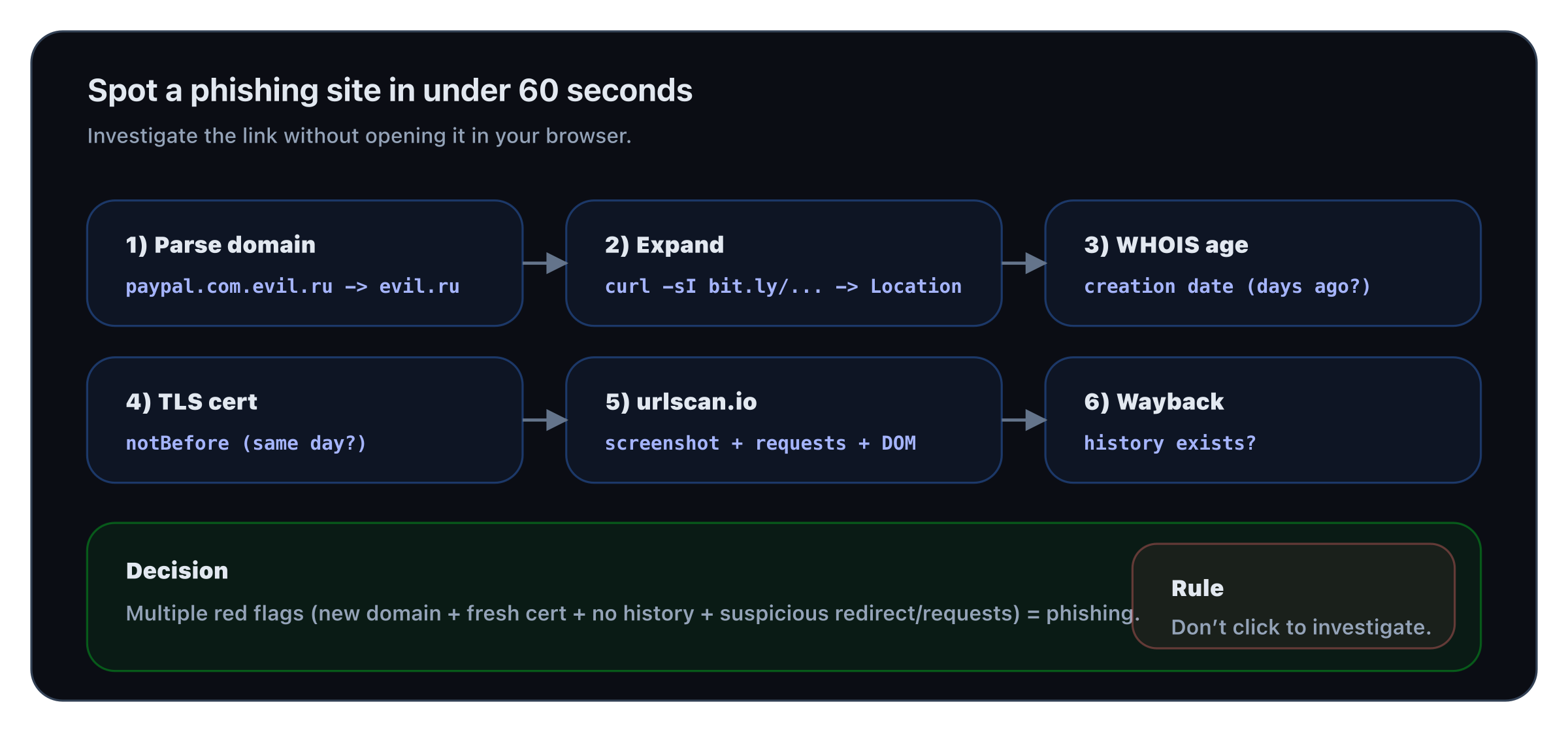
Workflow: domain parsing → expand → WHOIS → TLS dates → urlscan → history. Don’t click to investigate.
Technique 1 — Decode the URL Structure
Before anything else, read the URL carefully. Phishing URLs are designed to look legitimate at first glance.
The anatomy of a deceptive URL:
https://account-security.paypal.com.phishingsite.ru/login
The real domain here is phishingsite.ru. paypal.com is just a subdomain of it. The trusted-looking part is on the left. The actual domain is always the part just before the first /.
Common tricks:
| Technique | Example | Real domain |
|---|---|---|
| Subdomain abuse | paypal.com.evil.ru/login | evil.ru |
| Homograph attack | аpple.com (Cyrillic а) | Different unicode character |
| Typosquatting | paypa1.com (digit 1 not L) | paypa1.com |
| Hyphen tricks | pay-pal-secure.com | pay-pal-secure.com |
| Long path obfuscation | evil.com/paypal.com/login | evil.com |
| URL shortener | bit.ly/3xF9z2 | Unknown until expanded |
Expand short URLs before clicking:
Technique 2 — Run a WHOIS Lookup
Legitimate services have domains registered for years. Phishing sites are registered days or weeks before a campaign.
Red flags:
- Registered in the past 30 days
- Registrant country doesn't match the alleged company's country
- Privacy-protected registrant (common in phishing to hide identity)
- Registered via low-cost registrars (NameCheap, GoDaddy bulk, Tucows)
Check online at whois.domaintools.com or who.is if you don't have whois locally.
Technique 3 — Check the SSL Certificate
A padlock doesn't mean safe. Phishers get free Let's Encrypt certificates in minutes. But the certificate still tells you things.
What to look for:
- Certificate issued same day as domain registration → automated phishing kit
- Certificate only covers the exact domain (no SAN for
www., no wildcard) → minimal setup - Let's Encrypt on a financial/banking domain → unusual (banks use expensive EV certs)
notBeforewithin the last 30 days → newly launched
Technique 4 — Scan with URLScan.io
URLScan.io visits the page for you, takes a screenshot, captures all network requests, and shows you the DOM — without you ever loading it.
What URLScan reveals:
- Screenshot of the page (phishing landing page visible)
- All external domains contacted (CDN, tracking, redirect chains)
- JavaScript files loaded (obfuscation indicators)
- IPs and ASNs (hosting provider, bulletproof hosts)
- Whether the page was flagged by Google Safe Browsing
API (no browser needed):
A free account gives you 100 scans per day.
Technique 5 — Check the Wayback Machine
Legitimate domains have history. Phishing domains don't — or they had a completely different purpose last week.
An empty archived_snapshots on a domain claiming to be a major service = instant red flag.
If there are snapshots, check what the site looked like 6 months ago. A domain now pretending to be PayPal that was a casino site in July is definitively phishing.
Putting It Together: The 60-Second Checklist
When you receive a suspicious link, run this in order:
| Step | Check | Tool |
|---|---|---|
| 1 | Parse the real domain from the URL | Your eyes |
| 2 | Expand if shortened | curl -sI <url> | grep location |
| 3 | Check registration date | whois or who.is |
| 4 | Check SSL cert issuance date | openssl s_client |
| 5 | Scan without visiting | urlscan.io |
| 6 | Check history | archive.org/wayback |
Five positives out of six? It's phishing. In the next lesson, you'll analyze the email that delivered it — because the URL is only half the story.